How to Save Recipes from Instagram and TikTok
Save a recipe from an Instagram or TikTok post so you can actually cook it: copy the link, keep the caption, and turn it into ingredients and steps.
By the Matlaro teamPublished 6 min read
The fastest way to save a recipe from Instagram or TikTok is to keep two things together: the post's link and the text of its caption. The bookmark button only saves a pointer to the post, so if the creator deletes it or you change phones, the recipe is gone. Copy the link, copy the caption (or screenshot it), and put both somewhere you can cook from.
That is the whole trick. Below is how to do it on each app, what to do when the recipe is only spoken in the video, and how Matlaro turns a post into a recipe you can cook one step at a time.
Why the Save button is not enough
Instagram's bookmark under a post and TikTok's Favourites both work like a browser bookmark. They are fine for "I might make this one day". They are poor for cooking, for three reasons:
It is only a pointer
If the post is deleted, archived or made private, your saved copy disappears with it.
It cannot be searched by ingredient
You cannot ask your saved posts "what can I make with chickpeas?".
It plays the video, not the recipe
At the stove you want the amounts and the next step, not a 40 second clip on loop.
Instagram does keep your saved posts private: only you can see them. Private is not the same as permanent, though.
Step 1: get the link
Both apps put the link behind the share button.
- 1
Instagram
Tap the paper plane under the post (or the three dots), then Copy link. On a Reel the share button is on the right.
- 2
TikTok
Tap the Share arrow on the right of the video, then Copy link.
- 3
Or share straight to an app
In the same share menu, pick a recipe app instead of copying. If it is not in the first row, the last option opens your phone's own share menu, where Matlaro appears once it is installed.
Keep the link even if you copy everything else. It is your record of where the recipe came from and a way back to the video when you want to see how thick the sauce should look.
Step 2: get the caption
This is the part people skip, and it is the part that matters. Most food creators put the ingredients and the method in the caption, often below a "more" fold.
- Open the post and tap "more" so the full caption is showing.
- If your app lets you select the caption text, copy it.
- If it does not, take a screenshot of the expanded caption. If it is long, take two.
A screenshot of a caption is not a picture of food, it is text. Any tool that can read text off an image can turn it back into words, which is why a screenshot is a perfectly good way to save a recipe.
Step 3: put it somewhere you can cook from
You have a few options, and they trade convenience for cookability.
| Where you keep it | Good for | Weak at |
|---|---|---|
| Screenshots in your photo roll | Zero effort | Finding it again among 4,000 photos |
| A notes app | Searchable text | No servings maths, no timers |
| A recipe app | Cooking, scaling, searching | One more app on your phone |
If you want the long version of that comparison, we wrote one: five ways to organise your recipes, with honest pros and cons.
How Matlaro saves a post
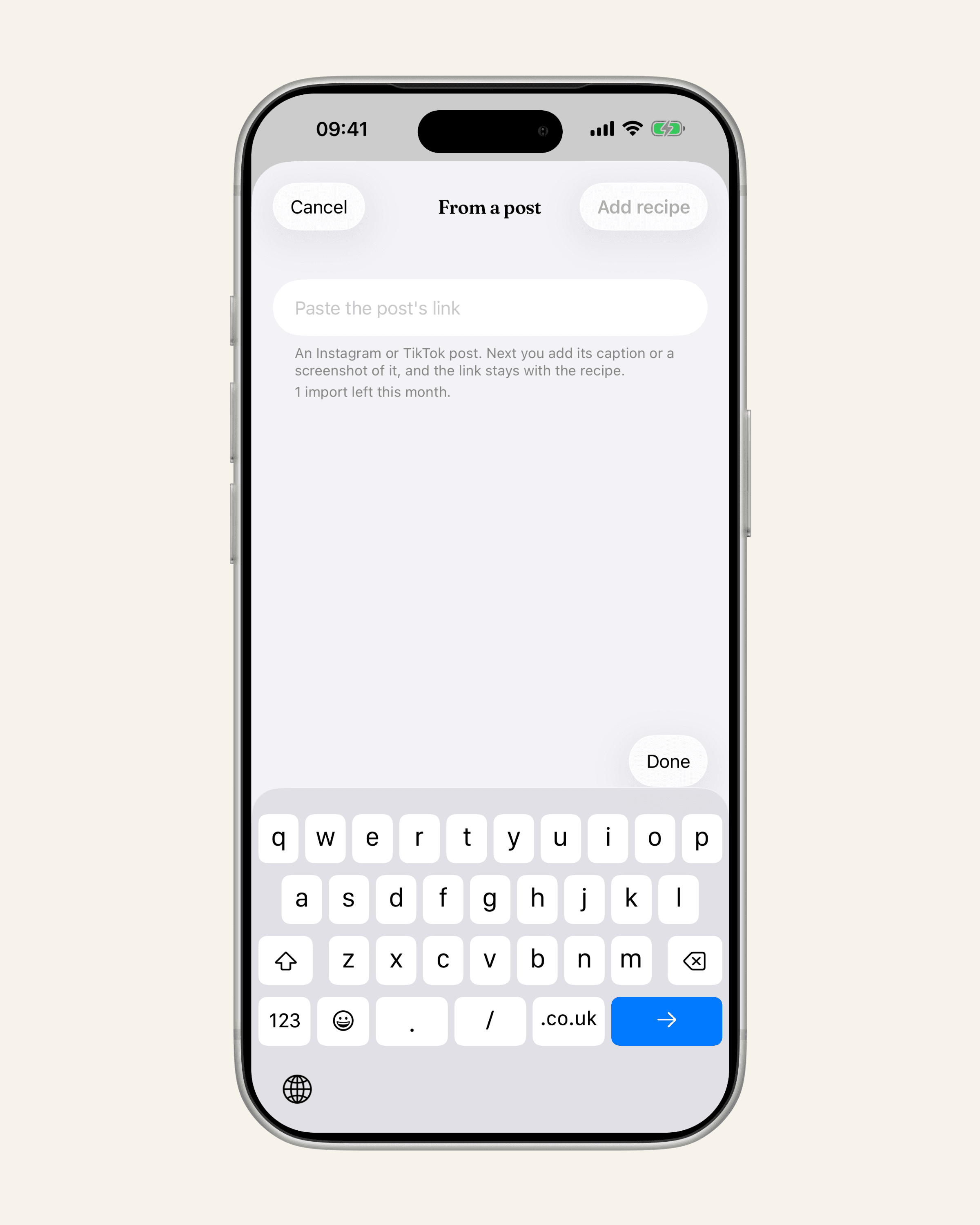
Matlaro has a flow made for exactly this, called Add from a post. It does not scrape Instagram or TikTok. It keeps the link and lets you bring the caption in one step.
- 1
Share the post to Matlaro
From Instagram or TikTok, tap Share and pick Matlaro, or paste the link into Add a recipe.
- 2
Choose Paste the caption or Use a screenshot
If you copied the caption, paste it. If you took a screenshot, pick it from your photos. The screenshot is read on your phone and only the text is used.
- 3
Check and save
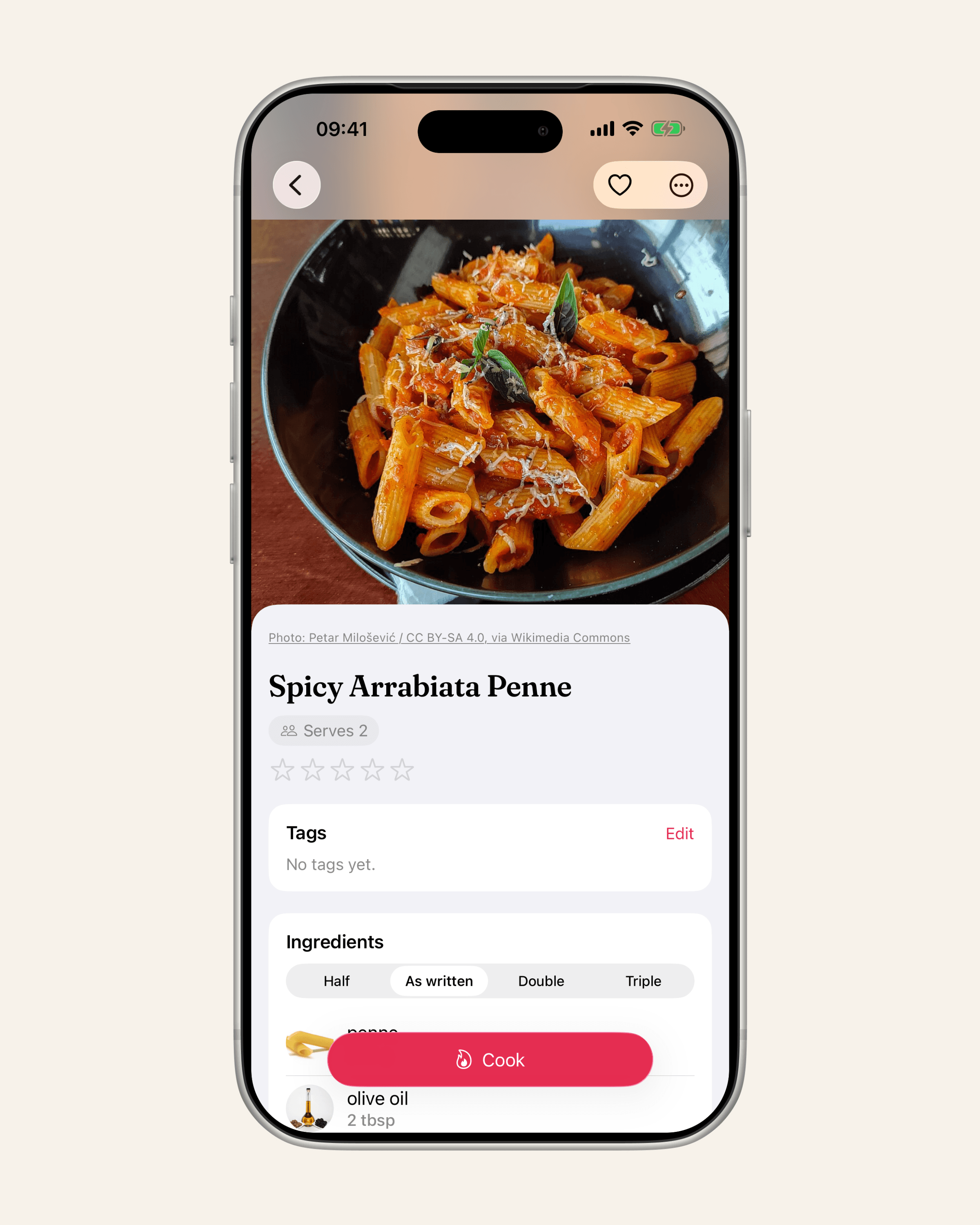
Matlaro sorts the text into ingredients and steps. The post's link stays with the recipe as its source.
A few things worth knowing before you start:
- A recipe needs ingredients and a method. If a caption is just "so good 🤤 recipe in bio", there is nothing to save, and Matlaro tells you so rather than guessing at amounts.
- Headings help. Captions that say "Ingredients" and "Method" (or "Steps") read cleanly. If a caption runs everything together, paste it with those two headings added.
- A refusal is free. On the free plan you get 5 imports a month, and only a recipe that is actually saved counts. Typing a recipe in by hand never counts at all.
- The text passes through once. To sort the caption into ingredients and steps, its text goes through Matlaro's server once and is not kept there. The recipe itself is stored on your phone.
Cooking it
Once the post is a recipe, it behaves like any other. Cook mode shows one step at a time in large type, and when a step says "simmer for 15 minutes", the 15 minutes is a timer you tap. Feeding four instead of the two the creator cooked for? Change the servings and every amount follows. We explain how that maths works, and where to round, in how to scale a recipe up or down.
- Copy the link, even if you save nothing else
- Expand the caption before copying or screenshotting
- Screenshot long captions in two parts
- Type video-only recipes while you watch
- Keep everything in one place you can search
Frequently asked questions
Can I save an Instagram recipe without the creator knowing?
Yes. Saving a post with the bookmark is private, and copying a link or taking a screenshot does not notify anyone.
What happens to my saved Instagram posts if the post is deleted?
They disappear from your saved posts too, because a save is only a link to the original. That is why copying the caption matters.
How do I save a recipe from a TikTok video with no caption?
Watch it once and type the ingredients and steps as you go. In Matlaro, typing a recipe in is free and never counts against your imports.
Does Matlaro download the video?
No. It keeps the post's link as the recipe's source and works from the caption text you bring in.